Ethernet Addressing - Control Subnet Tab
Use the Control Subnet tab to configure the Control Subnet.
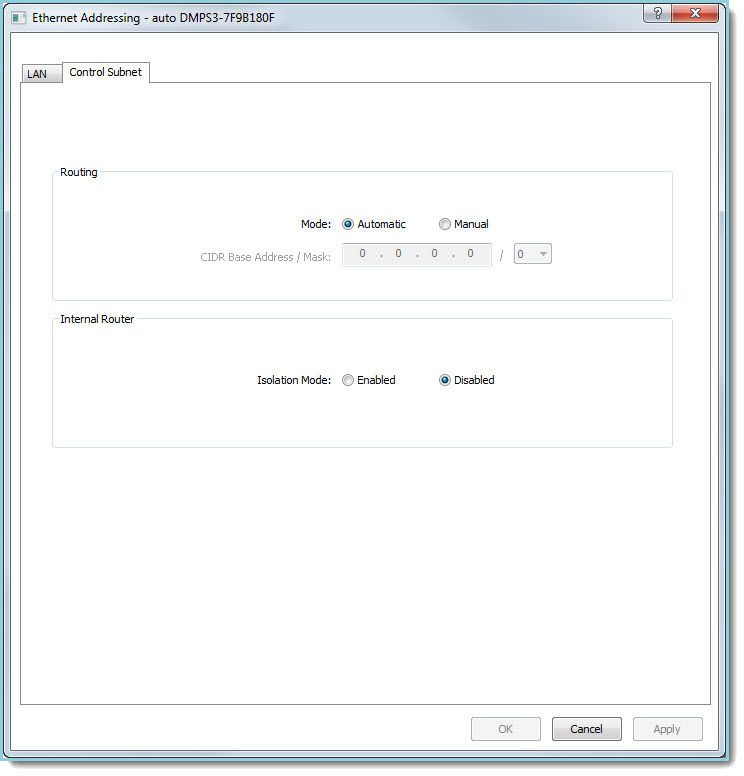
 The Control Subnet Settings are accessed from the Ethernet Addressing Function by clicking
on the Control Subnet tab:
The Control Subnet Settings are accessed from the Ethernet Addressing Function by clicking
on the Control Subnet tab:
Routing
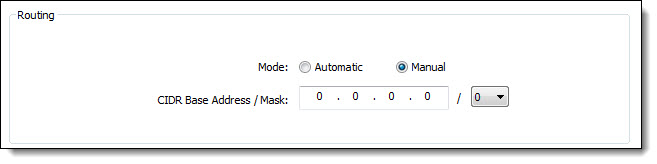
- Mode: Select the Automatic or Manual radio button as applicable:
- Automatic (default): The routing
prefix is determined automatically by the control system to not conflict
with the LAN side.
- Manual: Select the Manual radio
button to configure the Control Subnet Routing Prefix.
- CIDR Base Address/Mask: Use these fields to set the Routing Prefix of the control subnet. This consists of an CIDR Base Address (IP Address) and a Bit Mask count that determines the number of bits of that address to use as the Subnet identifier. Note: the Manual radio button must be selected for Routing Prefix to be available.
CIDR Subnet Table

Internal Router
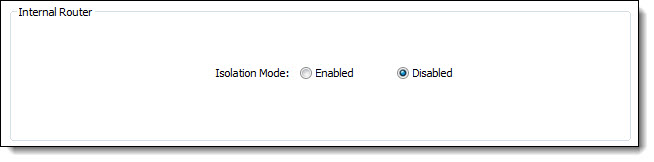
- Isolation Mode: Select the Enabled or Disabled radio button as applicable.
- Enabled:
Isolates the Control Subnet
from the LAN side and prevents any traffic from traveling between them.
- Disabled: Devices on the control subnet are allowed outbound
traffic to the LAN side. LAN to Control Subnet communications
is allowed via NAT or PAT configuration.
Press the Apply button at bottom of the Control Subnet tab to apply any new or revised Control Subnet Routing or Internal Router settings.